Introducing the


Suzuki Motorcycle

Global Salon

A new virtual communication venue that is easy for anyone to access.

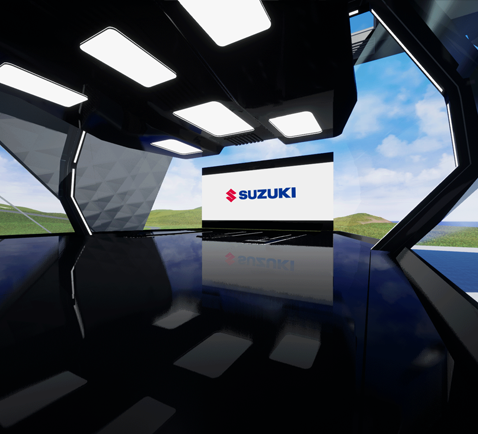
This is a new-generation communication platform that can be used by fans of Suzuki motorcycles and any other customers from their PC or smartphone, either at home or while they are out and about. It enables them to view display motorcycles just as if they were at an actual showroom or watch the unveiling of new motorcycle models just as they would when attending a live motor show. They can even use it to consult with Suzuki dealer staff in your counties.

DOWNLOAD NOW

FEATURES

Application Summary

Languages

Only available in an English-language version

Handling of Personal Information and Age Restrictions

  • To install the application, there is a need to enter personal information such as your e-mail address. Therefore, please read and agree to the Terms of Use and Privacy Policy prior to installation.
  • You must be 18 years of age or older to access or use the App.

Conditions of Use

Depending on your PC’s specifications, your OS and the speed of your Internet connection, this application may not run successfully. Please refer to the Recommended System Requirements.

System Requirements

Recommended System Requirements

  • OS : Windows10 (64bit)
  • CPU : Intel Core i5 1.6GHz
  • Memory : 8GB RAM
  • Graphics : Nvidia GeForce 1060

Handling of Personal Information and Age Restrictions

  • To install the application, there is a need to enter personal information such as your e-mail address. Therefore, please read and agree to the Terms of Use and Privacy Policy prior to installation.
  • You must be 18 years of age or older to access or use the App.

Minimum System Requirements

  • OS : Windows10 (64bit)
  • CPU : Intel Core i5 Quad-core
  • Memory : 8GB RAM
  • Graphics : Nvidia GeForce 620

* While the application can be installed on PCs that do not meet the minimum system requirements, the application may not run smoothly due to video delays, etc.
* Operation may be unstable due to factors such as your Internet connection environment.

Troubleshooting

If you can't install the application

  • Please check your communications (network) environment.
  • Please check that you have sufficient free space on your PC (minimum 4 GB required).

If the application doesn't run

  • The application may fail to run because your security software is blocking communication. In this event, you may be able to resolve the issue by temporarily disabling your security software or approving this application in the security software settings. Check your security software for the detailed settings.
  • If your firewall posts a warning message, give this application permission to launch.
  • Depending on the type of communications provider, port access may be restricted. Please check the terms of your agreement and then contact your provider.
  • Please ensure that there is ample available memory capacity (1 GB or more) by taking steps such as shutting down other applications.

Application Updates

  • If application updates are available, starting the application will automatically update your application to the latest version.